Best MCP Server for SEO (2026): Let Your Agent Run SEO · Rankdelta
Best MCP server for SEO: let Claude, ChatGPT or Cursor run keyword research, audits, rankings and AI visibility over MCP. RankDelta's open server, compared.
Quick Answer
The best MCP server for SEO in 2026 is the one that lets your AI agent run real SEO work — not just fetch raw numbers. The pick is RankDelta (disclosed: it's our product). It ships a hosted, full-suite MCP at mcp.rankdelta.ai: connect Claude, ChatGPT, or Cursor with one URL and OAuth, and the agent can search, do keyword research, audit pages, pull domain and backlink data, check and track Google rankings, read your Search Console and GA4 numbers, measure whether ChatGPT and AI Overviews recommend you, and draft the page that closes a gap. It runs under per-user keys, metered quotas, and hard per-account spend caps, and it's published to the official MCP registry, so an agent can discover and connect to it cleanly. It's the only SEO MCP that includes the AI-visibility toolset, not just classic SEO. For raw SEO data to wire into your own code, DataForSEO's MCP is the developer option; OpenSEO exposes an MCP for its open-source suite. MCP is a connector, not a ranking hack — it changes how fast you work, not how Google ranks you.
What MCP actually is — a connector, not a ranking hack
MCP (Model Context Protocol) is the open standard that lets an AI agent call external tools. An MCP server for SEO exposes SEO tools — search, keyword research, audits, rank tracking, AI visibility, content — so an agent operates them directly, in natural language, instead of you pasting screenshots into a chat window. You stop being the copy-paste layer between your SEO suite and your AI.
Be clear about what it is not. MCP does not move you up Google. It is not a growth hack, a schema trick, or a signal any search engine reads. It's plumbing: a standard way for Claude or Cursor to reach your data and your tools. The gain is operational — your agent does the fetching, cross-referencing, and first-pass analysis — and the judgment about what to fix is still yours.
Why "best MCP server for SEO" is the right question now
This is a new and fast-moving category. It doesn't have a settled "top 10" listicle yet — which is exactly why the tool you pick now is the one your agent workflows get built around. Agent-run work is moving from demo to daily use. The habits your team forms this year — which server your agent talks to, which tools it reaches for — harden fast.
So the question isn't "which server has the most tools" in the abstract. It's "which server lets an agent actually do SEO end to end, safely, on the same data my team already trusts." That reframes the whole comparison, and it's the frame the rest of this guide uses.
RankDelta — our pick, and the verifiable reason it's first
RankDelta is open-source AI SEO software by Agape Group GmbH. We sell it, so treat this as disclosed, not blind. It's first here for one verifiable reason, stated plainly: it's the SEO MCP that ships the full research-plus-AI-visibility toolset over a hosted, OAuth-secured connection today — not a claim it outscored anyone in a lab.
RankDelta's hosted MCP lives at mcp.rankdelta.ai. You connect an agent with one URL and OAuth, and it exposes the whole suite — classic research, audits, ranks, and the AI-visibility layer — behind per-user keys with metered quotas and hard per-account spend caps. It's published to the official MCP registry, so a compatible client can find it and connect without hand-rolled config.
Two properties make it the answer to this article rather than one more entry in a list. First, it's the only SEO MCP that includes AI-visibility tools — measuring whether ChatGPT, Perplexity, and AI Overviews cite you — not just Google-era SEO. Second, it's open-source and self-hostable, so if you'd rather own the whole stack (MCP included) on your own infrastructure, you can. Skip us if all you want is raw SERP/keyword data to wire into your own code — that's DataForSEO's lane, and we'd rather say so than watch you pick wrong.
The tools RankDelta's MCP exposes
An SEO MCP is only as useful as the tools it hands the agent. Here's the actual RankDelta toolset — real tools, grouped by the job an agent uses them for. No invented capabilities.
| MCP tool | Type | What the agent does with it |
|---|---|---|
search |
Read | Run a SERP search and read results |
fetch |
Read | Fetch and read a page's content |
keyword_research |
Read | Pull keyword ideas, volume, difficulty, clustering |
audit_page |
Read | Audit a URL and read the technical issues |
domain_overview |
Read | Get domain-level metrics for you or a competitor |
backlink_summary |
Read | Summarise a domain's backlink profile |
list_ranks |
Read | List the keywords you're already tracking |
check_ranks |
Read | Check current Google positions on demand |
track_rank |
Write | Add a keyword to continuous rank tracking |
get_ai_visibility |
Read | Read your AI Share of Voice score |
list_ai_recommendations |
Read | See which prompts recommend you vs competitors |
run_visibility_scan |
Job | Launch a fresh AI-visibility scan |
get_gsc_analytics |
Read | Read Google Search Console query/position data |
get_ga4_analytics |
Read | Read GA4 traffic and engagement data |
generate_article |
Write | Draft a citable page to close a gap |
Two things stand out. It spans the full loop — discover (search, keyword_research), diagnose (audit_page, domain_overview, backlink_summary), measure (list_ranks, check_ranks, get_gsc_analytics, get_ga4_analytics), and the part no classic suite exposes: AI visibility (get_ai_visibility, list_ai_recommendations, run_visibility_scan) plus a content step (generate_article) to act on what you find. See /docs/mcp for the connection details.
Read-only tools vs write tools — and why the split matters
Not every tool is equal, and a careful buyer should ask which is which. The hosted server (rankdelta v0.3.0) defines 26 tools, and the large majority are read-only: search, fetch, keyword_research, audit_page, domain_overview, backlink_summary, list_ranks, get_ai_visibility, list_ai_recommendations, get_gsc_analytics, get_ga4_analytics and their siblings only report data. Let an agent read freely — the worst case is a wasted call.
Five tools do something: setup_ai_visibility creates a tracking setup, track_rank starts continuous tracking, check_ranks triggers a live rank check, run_visibility_scan launches a scan across the AI engines, and generate_article produces content. Each consumes metered quota or creates state. That five-to-twenty-one split is why permissioning matters: you want an agent that can read all day but can only fire the job tools within limits you set — and it's the first thing to check on any SEO MCP that doesn't publish which of its tools write.
Permissions, per-user keys, and rate limits
The failure mode people fear with agent-run tooling is a loop that quietly burns budget or hammers an API. RankDelta's MCP is built against exactly that. Every call runs under a per-user API key, so actions are attributable to a person, not a shared secret. Usage is metered with quotas, and there's a hard per-account spend cap — an agent physically cannot run past the ceiling you set.
That's the honest reason to care about permissions on an SEO MCP: the value of agent autonomy is only safe if the blast radius is bounded. Read-heavy, write-limited, cap-enforced is the right shape, and it's the shape here. In practice the same limits that govern the dashboard govern the agent: on our own project the AI-visibility scans run as a weekly autoscan with a twenty-checks-per-batch ceiling and a per-account spend cap shown in the sidebar — an agent calling run_visibility_scan in a loop hits exactly that wall, which is the point.
How the SEO MCP space splits
Zoom out and the category sorts into a few clear lanes. Competitors below are named as entities only — pick by the job, not the logo.
| On this page | Type | Best for |
|---|---|---|
| 1 | Full SEO suite over MCP | RankDelta — search, audits, ranks, keywords, backlinks, AI visibility, GSC/GA4, content; hosted or self-host |
| 2 | Raw SEO data over MCP | DataForSEO — developer-grade data to build your own tools on |
| 3 | Open-source suite over MCP | OpenSEO — classic SEO, self-hosted, no AI-visibility layer |
| — | Closed suites | Some are adding AI connectors; most still expect the dashboard, not an agent |
The split that matters is raw-data MCP (you build the workflow) versus full-suite MCP (the agent runs the workflow). If you want an agent to actually do SEO — search, audit, check, decide, draft — you want the suite, and you want the AI-visibility tools in it.
What an agent actually does with these tools
Concretely, an SEO MCP means you can tell Claude or Cursor: "audit our top landing page, check where we rank for our money terms, and tell me if ChatGPT recommends us or a competitor." The agent calls audit_page on the URL, check_ranks on your keywords, and run_visibility_scan (then list_ai_recommendations) for the AI surface — and comes back with a single answer, on the same data your team uses in the dashboard.
That's the shift: three tools, one instruction, no tab-switching. The agent handles the fetching and cross-referencing; you read a synthesis and decide what to fix. For a one-off read before you wire up an agent, the AI visibility checker does the last part in a browser.
The AI-visibility tools no other SEO MCP ships
This is the line that separates RankDelta's MCP from a raw-data server. get_ai_visibility, list_ai_recommendations, and run_visibility_scan measure a surface a rank tracker is blind to: whether the AI recommends you. Google now surfaces AI Overviews above classic results for a large share of commercial queries and reports some generative-AI impressions inside Search Console, and buyers increasingly start in ChatGPT or Perplexity rather than a search box.
So a common failure looks like this: you rank #2 on Google, every classic metric is green — yet the AI Overview and ChatGPT both name a competitor, because they retrieved a different set of sources. A position-two blue link is not a citation. Below is a live AI-visibility diagnosis RankDelta ran against its own domain; nothing was chosen to look good.
Every figure in that panel — the health score, the AI-readiness score, the brands ChatGPT names, the tracked prompts and their Absent/Mentioned status — is exactly what get_ai_visibility and list_ai_recommendations return to an agent over MCP, so Claude or Cursor can read this diagnosis and draft the missing page without opening the dashboard.
Live scan, rankdelta.ai, September 2026. The tool measures the surface a rank tracker can't — and being early is the advantage. For the standalone tracking side, see AI visibility tools.
The honest limits of an SEO MCP server
A roundup that pretends MCP solves everything isn't worth trusting, so here are the caveats. First, a generic "SEO MCP" that only wraps one API is thin. A server that exposes a single keyword endpoint over MCP is a nicer way to make one call — not a suite. Judge a server by whether an agent can run a real workflow with it, not by whether it technically speaks MCP.
Second, MCP doesn't replace judgment. The agent can audit, measure, and draft, but deciding which fixes matter, which pages to build, and what to say is still the human's job. Treat the agent as a fast analyst, not an autopilot for strategy.
Third, it's not a ranking shortcut. As said up top, connecting an MCP changes your speed of work, not the algorithm. Anyone selling "MCP for instant rankings" is selling the wrong story.
Five questions to ask before you trust any SEO MCP
The caveats above turn into a short checklist you can run on any server in the category, ours included. Which tools write? If the server can't tell you which of its tools create state or spend money, assume all of them do and gate accordingly; RankDelta's split is 21 read-only to 5 job tools. How does it authenticate? OAuth with per-user keys means a leaked config can't drain a shared account; a pasted API key means it can. What caps it? Look for a metered quota and a hard per-account spend cap, not a promise. Where does the data come from? An MCP is only as good as the crawl, rank and AI-engine data behind it, so ask whether the audit is a real crawl and whether the AI-visibility checks hit ChatGPT, Perplexity and Google AI Overviews live or replay a cache. Can you read the code? An open-source server lets your security team answer the first four questions themselves instead of trusting a landing page.
Hosted or self-hosted — you choose
RankDelta's MCP is hosted: one URL, OAuth, a per-user key, and you're connected — no infrastructure to run. That's the fast path for most teams.
But because RankDelta is open-source, you can also self-host the entire stack, MCP included, and keep everything — client data, keys, quotas — on your own infrastructure. Privacy-minded agencies handling sensitive client data usually want exactly that. Either way you get the same toolset; you're only choosing who runs the servers. The open-source route also lets you pay only for the underlying data APIs you actually call. For a fuller picture of that model, see best open source SEO software.
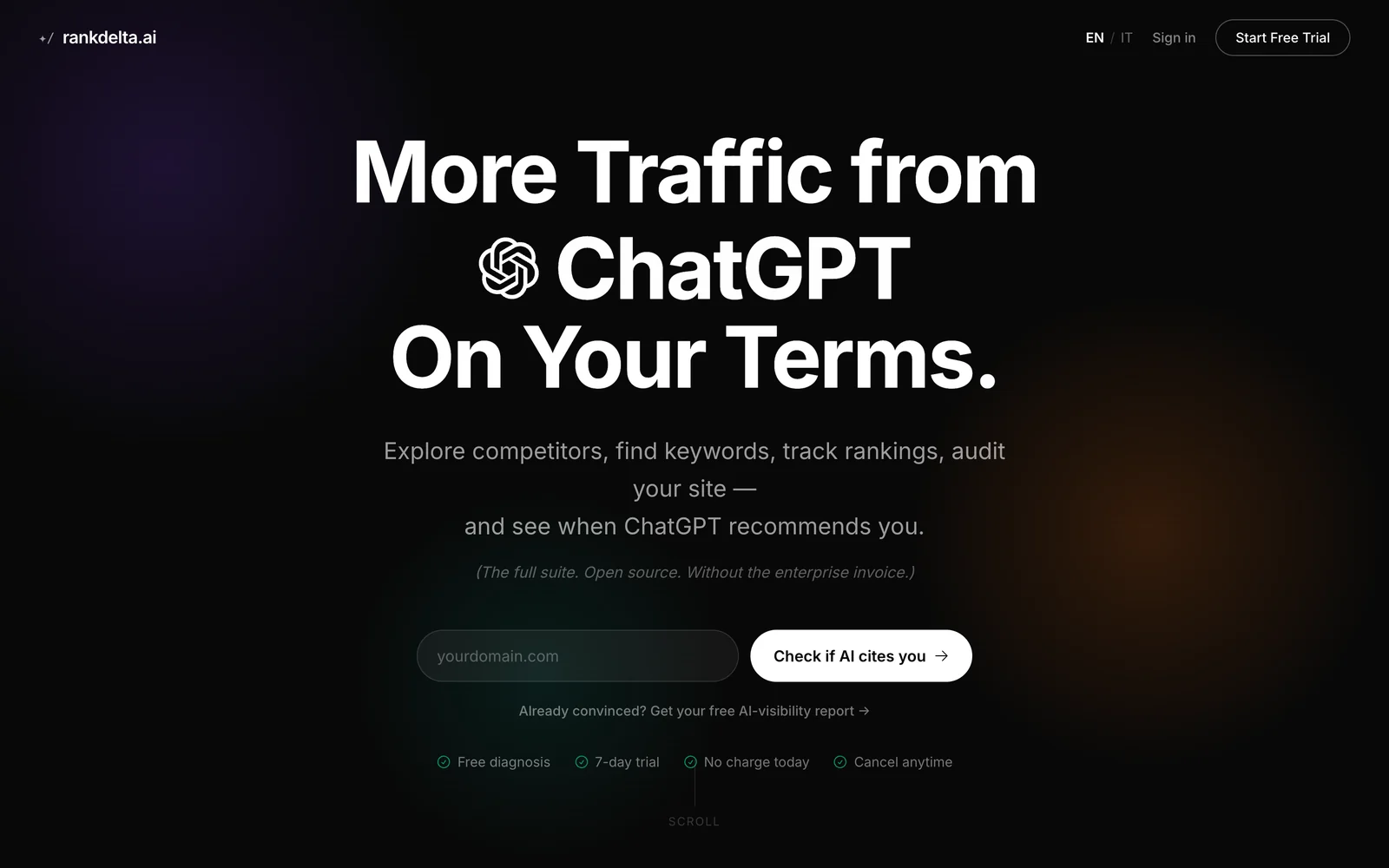
The free check on rankdelta.ai — no signup, one domain, one answer.
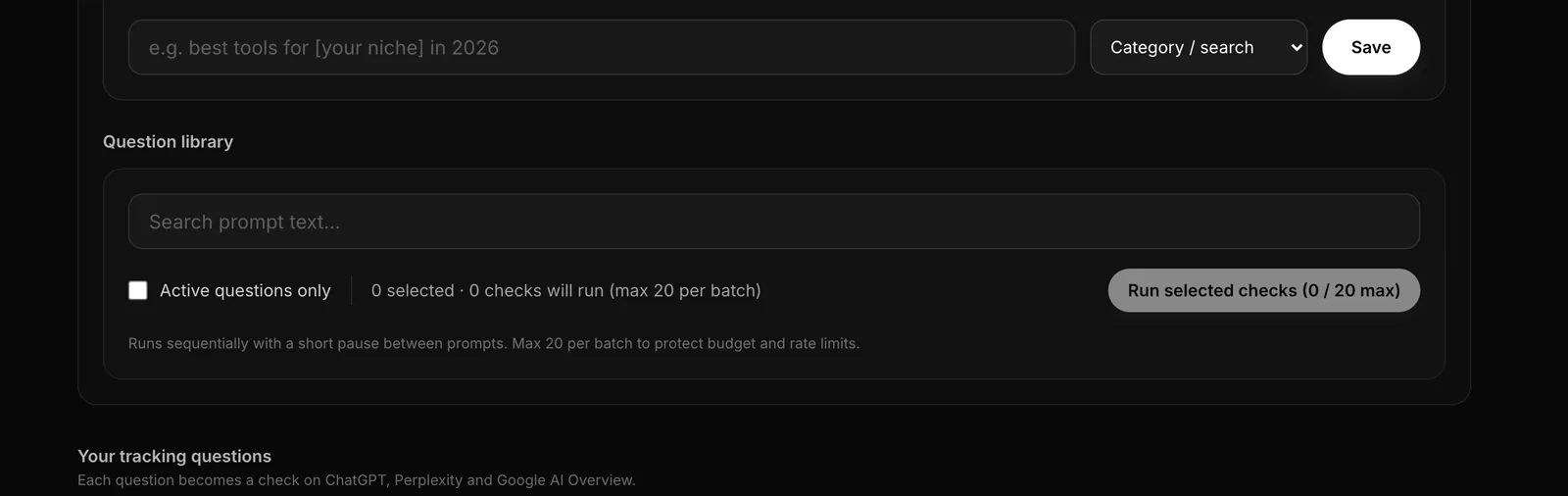
The tracked-prompts view in RankDelta — every buying question becomes a check across the engines, batched to protect the API budget.
How to connect your agent in a few minutes
The path is short. Point your MCP-compatible client — Claude desktop, Cursor, or a ChatGPT connector — at mcp.rankdelta.ai, complete the OAuth flow, and the toolset appears. Because the server is on the official MCP registry, discovery is clean and you're not hand-editing config files. From there, ask in plain language and the agent reaches for the right tools. The facts a security review will ask for:
| Fact | RankDelta MCP |
|---|---|
| Hosted endpoint | mcp.rankdelta.ai (also self-hostable with the open-source suite) |
| Auth | OAuth 2.0 with PKCE (S256) and dynamic client registration — no shared API key pasted into a config |
| Registry listing | io.github.alordincans/rankdelta, v0.3.0, on the official MCP registry |
| Tools | 26, of which 5 write/job tools (see above) |
| Budget guardrails | Metered quota, per-account spend cap, batch ceiling on scans |
A typical session, as the tool calls an agent actually makes: keyword_research for the cluster you're targeting → audit_page on the page you have → get_ai_visibility to see whether the engines name you for the buying prompts → list_ai_recommendations for who they name instead → and only then, if you allow it, generate_article for the page that's missing. Every step before the last is read-only; the last is the one you gate. The connection steps live at /docs/mcp, and if you're weighing it against a full classic suite, the Ahrefs alternative comparison covers where the giants still lead on raw index scale.
How to scope permissions once you're connected
The connection is identical in every client — one remote URL, one OAuth flow in the browser — so the decision that actually matters is what you let the agent do once it's in. The workable default: allow the read-only tools without prompts, so an audit or a visibility read never stalls waiting for a click, and keep the five job tools on per-call approval. That way run_visibility_scan and generate_article are things you consciously say yes to, each time, while keyword_research or get_ai_visibility just run. On a team, give each person their own key rather than sharing one, so the spend cap and the audit trail are per person — a leaked laptop revokes one key, not the agency's account. Review the cap monthly against what the agent actually consumed; on our own project the weekly autoscan sits well under the batch ceiling, which is the pattern you want to see.
Where this is going
The category is early, and that's the point. Agent-run SEO is becoming the default way work gets done, and the server your team standardizes on now is the one those habits form around. Being early on a category — and being the one with AI-visibility built into the MCP, secured with OAuth and spend caps, and published to the registry — is the whole argument. Start with a free check to see where you stand, or read what AI visibility is for the concept behind the numbers.
Sources
- Model Context Protocol — open standard for AI agent tool use (modelcontextprotocol.io).
- RankDelta hosted MCP — mcp.rankdelta.ai; OAuth, per-user keys, metered quotas, hard per-account spend caps; published to the official MCP registry; works with Claude, ChatGPT, Cursor.
- RankDelta MCP toolset — search, fetch, keyword_research, audit_page, domain_overview, backlink_summary, list_ranks, check_ranks, track_rank, get_ai_visibility, list_ai_recommendations, run_visibility_scan, get_gsc_analytics, get_ga4_analytics, generate_article (product docs, 2026).
- Google Search Central — documentation on Search features including AI Overviews and generative-AI reporting.
- DataForSEO and OpenSEO MCP offerings — vendor/project docs, 2026.